
Table of Contents


Ready to create more pipeline?
Get a demo and discover why thousands of SDR and Sales teams trust LeadIQ to help them build pipeline confidently.


.png)

Filter by last-verified time across every list at once, instead of opening lists one by one.
Trigger email re-verification straight from the main Lists view.
Get a clean read on email quality before a big send, without waiting on anyone else.
Get a demo and discover why thousands of SDR and Sales teams trust LeadIQ to help them build pipeline confidently.
A stale list can quietly wreck your sender reputation. One bad send and inboxes start filtering everything from that domain, not just the campaign that triggered it.
Admins have always been able to kick off a re-verification sweep across the whole org. Everyone else had a narrower path: open a specific list, select the prospects you care about, and re-verify from there.
That path just got a lot shorter. You can now open the main Lists view and trigger re-verification directly, filtered by last verified time, across every list you have access to.
Protect your domain reputation before a big send. Check a list's email quality right from the Lists view, no detour through an admin.
Broader by default. Filter across every list at once instead of opening each one individually and picking prospects one at a time.
Same trusted process underneath. This uses the same re-verification LeadIQ already runs elsewhere, just with a wider door to start it.
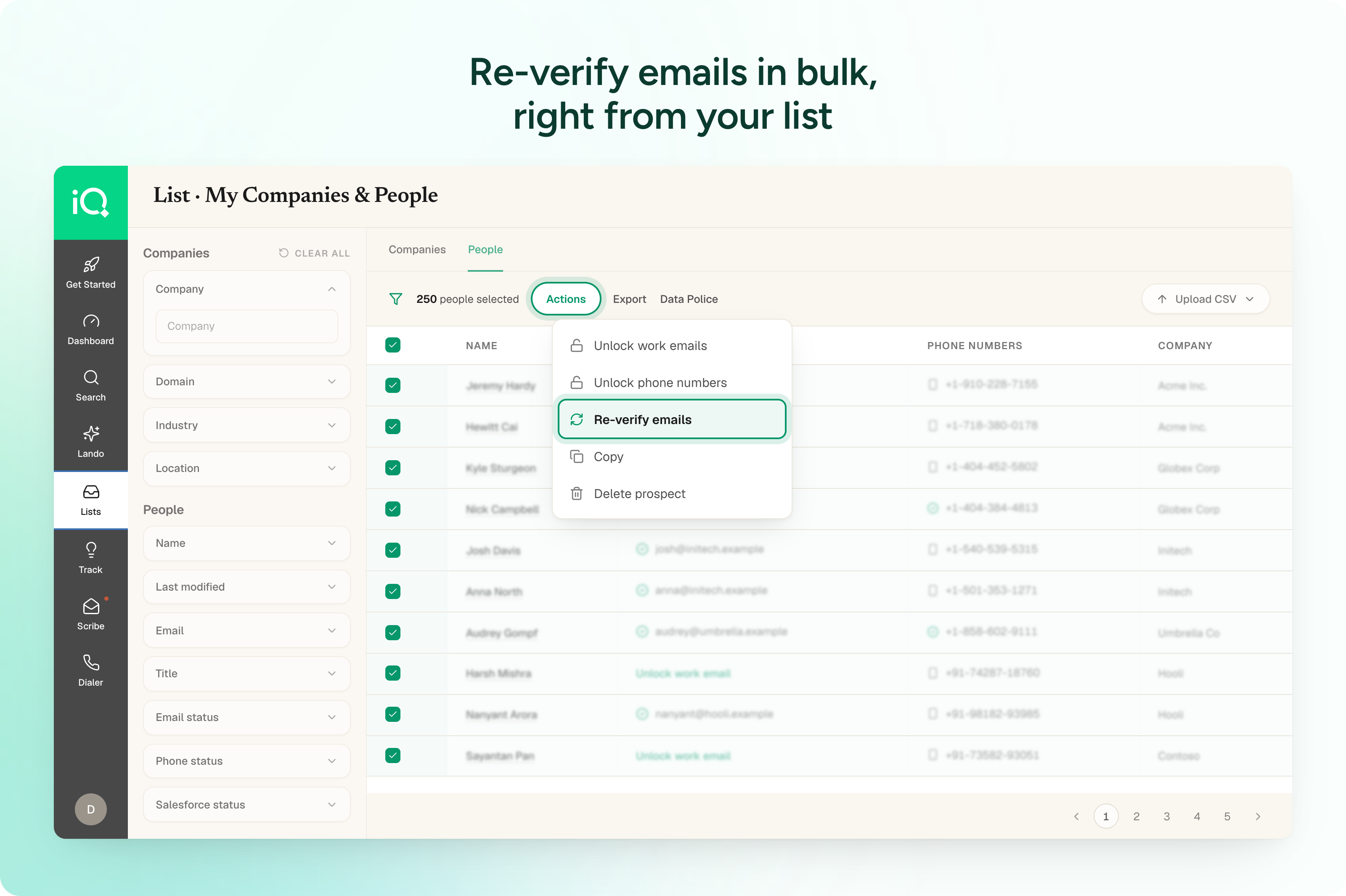
Ready to try it? In the web app, go to Lists, select the emails you want to re-verify, then select Actions > Re-verify emails.
Questions? Reach out to your AM or our help center.

.png)